
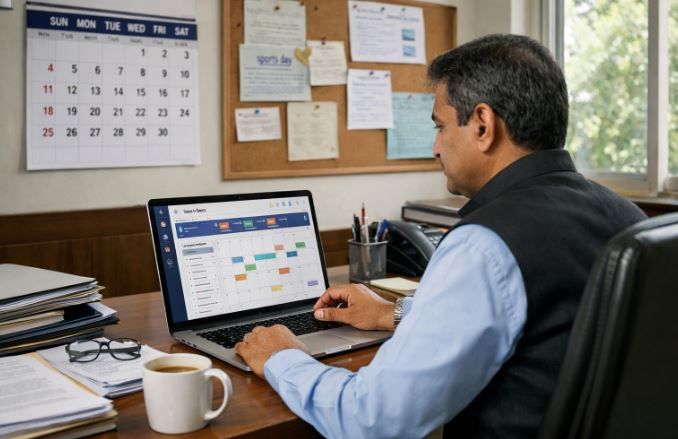
School activities today go far beyond classroom lessons. Schools organise exams, holidays, sports days, cultural programmes, meetings, and academic deadlines throughout the year. Managing these events manually can lead to confusion, missed updates, and communication gaps between administrators, teachers, students, and parents.
This is where the event calendar in a School ERP becomes extremely useful. An event calendar is a digital feature within a school management system that helps schools plan, organise, and share important events with all stakeholders from one central platform.
Instead of relying on printed circulars or manual notices, schools can display schedules and updates directly in the ERP portal or mobile application.
This guide explains how the event calendar works in a School ERP system and how different users can access and manage it effectively.
What Is an Event Calendar in School ERP and Why Is It Important for Schools?

An event calendar in School ERP is a digital academic planner that stores and displays important school activities throughout the academic year. It acts as a central schedule where administrators can publish information related to events, holidays, examinations, and school programmes.
Schools handle multiple events across different classes and departments. Managing these events manually through notice boards or printed circulars often creates delays in communication. A digital event calendar solves this challenge by allowing schools to update events instantly.
Key purposes of an ERP event calendar
- Displays the annual academic calendar for the school
- Lists holidays, examinations, and school programmes
- Notifies parents, students, and teachers about upcoming activities
- Provides a structured plan for the academic year
An ERP calendar also improves coordination among departments. Teachers can plan lessons according to examination schedules while parents can track school activities in advance. When all events are organised in one system, schools can avoid scheduling conflicts and ensure smooth academic planning.
How Does the Academic Event Calendar Improve School Communication?
Effective communication is essential for a well functioning school. Traditionally, schools relied on printed notices or verbal announcements to share information about events. However, these methods often lead to delays or missed updates.
The academic event calendar inside the School ERP system allows schools to share updates instantly with the entire school community. Once an event is added by the administrator, it becomes visible to teachers, students, and parents through their respective portals.
Communication benefits of an ERP calendar
- Instant updates for upcoming events
- Clear information about dates, time, and venue
- Reduced dependency on paper notices
- Better coordination between teachers and parents
Many modern ERP platforms also provide mobile app notifications. This ensures that parents receive alerts about important school activities such as parent teacher meetings, exam schedules, and holidays.
Because of this digital accessibility, schools can maintain consistent communication and keep everyone informed without manual effort.
How to Access the Event Calendar in School ERP?
Accessing the event calendar in School ERP is usually simple and user friendly. Most ERP systems provide access through a web portal or mobile application where users can log in using their credentials.
Steps to access the event calendar
- Log in to the School ERP portal using the username and password
- Open the dashboard after successful login
- Locate the calendar or academic planner module
- Select the event calendar section to view upcoming activities
Once the calendar page opens, users can see events displayed according to dates in a monthly or weekly view. Some ERP systems also allow filtering events based on category such as academic events, holidays, or class specific activities.
This feature helps users quickly identify important dates without searching through multiple announcements. It also ensures that every stakeholder can easily stay updated about the school’s schedule.
How Can Students, Teachers, and Parents View the School ERP Calendar?

One of the most useful features of a School ERP event calendar is role based access. Different users such as administrators, teachers, students, and parents can view relevant events based on their permissions.
Role based access in ERP systems
Teachers can access the academic calendar through the teacher portal. They can check examination schedules, meetings, and school activities that affect their teaching plans.
Students can view the calendar through the student dashboard or mobile application. This allows them to track upcoming exams, competitions, and school programmes.
Parents also benefit from the calendar through the parent portal. They can easily monitor their child’s school schedule and prepare for important events such as meetings or examinations.
This structured access ensures that each user receives the information relevant to their role in the school environment.
What Types of Events Can Be Managed Through a School ERP Event Calendar?
A School ERP event calendar is designed to handle many types of academic and administrative activities. Schools can use the calendar to organise both routine and special events throughout the academic year.
Common events managed in ERP calendars
- School holidays and vacation periods
- Examination schedules
- Parent teacher meetings
- Cultural programmes and annual day events
- Sports day and competitions
- Workshops and seminars
- Important academic deadlines
The ability to manage all these activities in one system helps schools maintain better planning and organisation.
Showing event categories in School ERP
| Event Category | Description |
| Academic Events | Exams, assignment deadlines, academic meetings |
| School Activities | Cultural programmes, competitions, workshops |
| Administrative Events | Staff meetings, training sessions |
| Holidays | National holidays and school vacations |
This structured approach helps schools maintain a well organised academic calendar that is easy for everyone to follow.
How Do Administrators Add or Update Events in the Academic Calendar?
Administrators usually manage the event calendar through the ERP admin panel. This section allows authorised staff to create new events, update existing ones, and publish important schedules.
Steps administrators typically follow
Administrators log in to the ERP system and navigate to the event or calendar management module. They then create a new event by entering details such as event name, date, time, and location.
Some ERP systems also allow administrators to attach additional information such as circulars or instructions related to the event.
Important details usually added include:
- Event title
- Event date and time
- Description of the activity
- Target audience such as specific classes or the entire school
Once the event is saved, it becomes visible in the academic calendar for the relevant users. This simple process allows schools to maintain an updated and accurate event schedule.
What Are the Key Features of an Event Calendar in School ERP Systems?

Modern School ERP systems include advanced features that make event management easier and more organised for educational institutions.
These features are designed to simplify academic planning while ensuring that all users receive timely updates.
Key features available in most ERP calendars
- Centralised academic calendar management
- Mobile accessibility through ERP apps
- Event reminders and notifications
- Class wise or school wide event categorisation
- Easy editing and updating of events
Many systems also provide visual calendar formats where events are displayed in monthly or weekly layouts. This makes it easier for users to understand the school schedule at a glance.
These features improve transparency and help schools maintain better communication and organisation across departments.
Conclusion
The event calendar in School ERP plays an important role in modern school management. It acts as a central platform where administrators can organise academic activities and share important schedules with teachers, students, and parents.
By digitising event management, schools can reduce manual work, avoid communication gaps, and maintain a structured academic plan throughout the year. Users can easily access the calendar through the ERP portal or mobile application and stay informed about upcoming events.
With features such as role based access, instant updates, and organised event categories, the ERP event calendar helps schools maintain better coordination and transparency.
As educational institutions continue to adopt digital management systems, the event calendar will remain an essential tool for improving school communication and planning.
Frequently Asked Questions
How does a school ERP event calendar help parents stay informed?
A school ERP event calendar allows parents to view upcoming school events, holidays, meetings, and examinations through the parent portal or mobile application
Can schools send automatic notifications for upcoming events through ERP?
Yes. Many School ERP systems provide notification features that send alerts to parents, students, and teachers when new events are added or updated in the calendar.
Is the school ERP calendar accessible through mobile applications?
Most modern ERP systems provide mobile applications where users can access the academic calendar. This allows students and parents to check school events anytime from their smartphones.
Can schools manage holiday lists and exam schedules in the ERP calendar?
Yes. The ERP calendar allows administrators to add holidays, examination schedules, and academic activities. This helps schools maintain a well structured academic schedule.