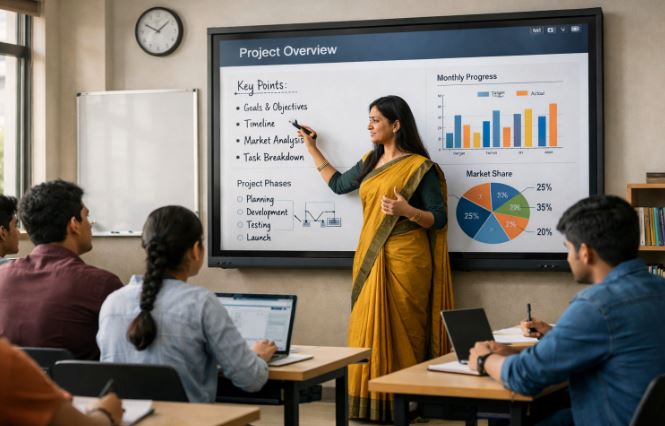
Smart board technology for digital boards has transformed the way people teach, present, and collaborate in modern environments. But how exactly does this technology function behind the scenes?
From classrooms to corporate meeting rooms, smart boards combine hardware and software to create an interactive experience that goes far beyond traditional whiteboards.
Understanding how these systems work can help users make better use of their features, improve engagement, and enhance productivity in both educational and professional settings.
How Does Smart Board Technology for Digital Boards Work?

1. Touch-Sensitive Display Technology
At the core of smart board technology for digital boards is a touch-sensitive display that detects user interaction. These boards use technologies like infrared, resistive touch, or capacitive touch to recognize input from fingers or styluses.
When a user touches the board, sensors detect the position and translate it into a digital signal. This allows users to write, draw, move objects, and interact with content directly on the screen.
Modern smart boards support multi-touch functionality, enabling multiple users to interact simultaneously. This feature is particularly useful in classrooms and collaborative environments where group participation is encouraged.
The precision and responsiveness of these displays make them feel natural and intuitive, bridging the gap between physical and digital interaction.
2. Integration with Computer Systems
Smart boards are not standalone devices; they work in conjunction with a connected computer or built-in operating system. The board acts as a large interactive display, mirroring the computer’s screen while allowing touch input to control applications.
This integration enables users to open files, browse the internet, run software, and present content seamlessly. Many modern digital boards come with integrated Android or Windows systems, eliminating the need for external devices.
This built-in functionality enhances convenience and reduces setup complexity. Ultimately, the computer integration is what transforms a simple display into a powerful interactive tool.
3. Interactive Software and Applications
Another key component of smart board technology for digital boards is the software that powers interactivity. These boards come with specialized applications designed for annotation, presentation, and collaboration. Users can write notes over presentations, highlight key points, and save their work instantly.
Educational software often includes tools for quizzes, diagrams, and multimedia integration, making lessons more engaging. In business settings, applications allow teams to brainstorm ideas, edit documents in real-time, and conduct interactive meetings.
The software essentially acts as the brain of the smart board, enabling it to perform a wide range of functions beyond simple display capabilities.
4. Connectivity and Wireless Features
Smart boards are equipped with various connectivity options such as Wi-Fi, Bluetooth, HDMI, and USB. These features allow users to connect laptops, smartphones, and tablets effortlessly. Wireless screen sharing is one of the most popular features, enabling users to cast their screens directly onto the board without cables.
This connectivity enhances flexibility and collaboration, as multiple users can share content from different devices. In classrooms, teachers can display student work instantly, while in offices, team members can present ideas without switching cables. The seamless integration of connectivity options makes smart boards highly adaptable to different environments and use cases.
5. Cloud Storage and Data Sharing
Modern smart board technology for digital boards often includes cloud integration, allowing users to save and access their work from anywhere. Notes, presentations, and annotations can be stored in cloud platforms like Google Drive or OneDrive.
This feature ensures that important data is not lost and can be revisited later. It also facilitates remote collaboration, as users can share files with others in real-time. For educators, this means students can access lesson materials outside the classroom.
For businesses, it enables efficient teamwork across different locations. Cloud functionality adds a layer of convenience and accessibility to smart board usage.
6. Audio-Visual Enhancements
Smart boards are designed to deliver a rich multimedia experience through built-in speakers, high-resolution displays, and sometimes cameras. These features enhance presentations, videos, and interactive sessions.
High-definition visuals ensure clarity, while integrated audio systems eliminate the need for external speakers. Some advanced boards also support video conferencing, making them ideal for remote meetings and hybrid learning environments. These audio-visual capabilities make smart boards more engaging and effective compared to traditional tools, helping users communicate ideas more clearly and dynamically.
Conclusion
Smart board technology for digital boards works by combining touch-sensitive displays, powerful software, seamless connectivity, and integrated computing systems. Each component plays a crucial role in delivering an interactive and user-friendly experience.
Whether used in education or business, these boards enhance collaboration, engagement, and productivity. As technology continues to evolve, smart boards are becoming even more advanced, making them an essential tool for modern communication and learning environments.
FAQs
What is smart board technology used for?
Smart board technology is used for interactive teaching, presentations, and collaboration. It allows users to write, display, and share content digitally.
Do smart boards need a computer to work?
Some smart boards require an external computer, while others come with built-in operating systems that work independently.
Can multiple users use a smart board at once?
Yes, most modern smart boards support multi-touch, allowing several users to interact simultaneously.
Are smart boards suitable for remote meetings?
Yes, many smart boards support video conferencing and screen sharing, making them ideal for remote collaboration.
Is internet required to use a smart board?
Basic functions work without internet, but connectivity enhances features like cloud storage and online collaboration.